Streak
0
consecutive days
Show up. Or watch it reset.
Stark counts the days you hit your training target. Miss one and the streak goes to zero. That's the deal.
A workout tracker built for focus. Plan your sessions, track every rep, and see your progress over time. No sign-ups, no subscriptions, no ads.
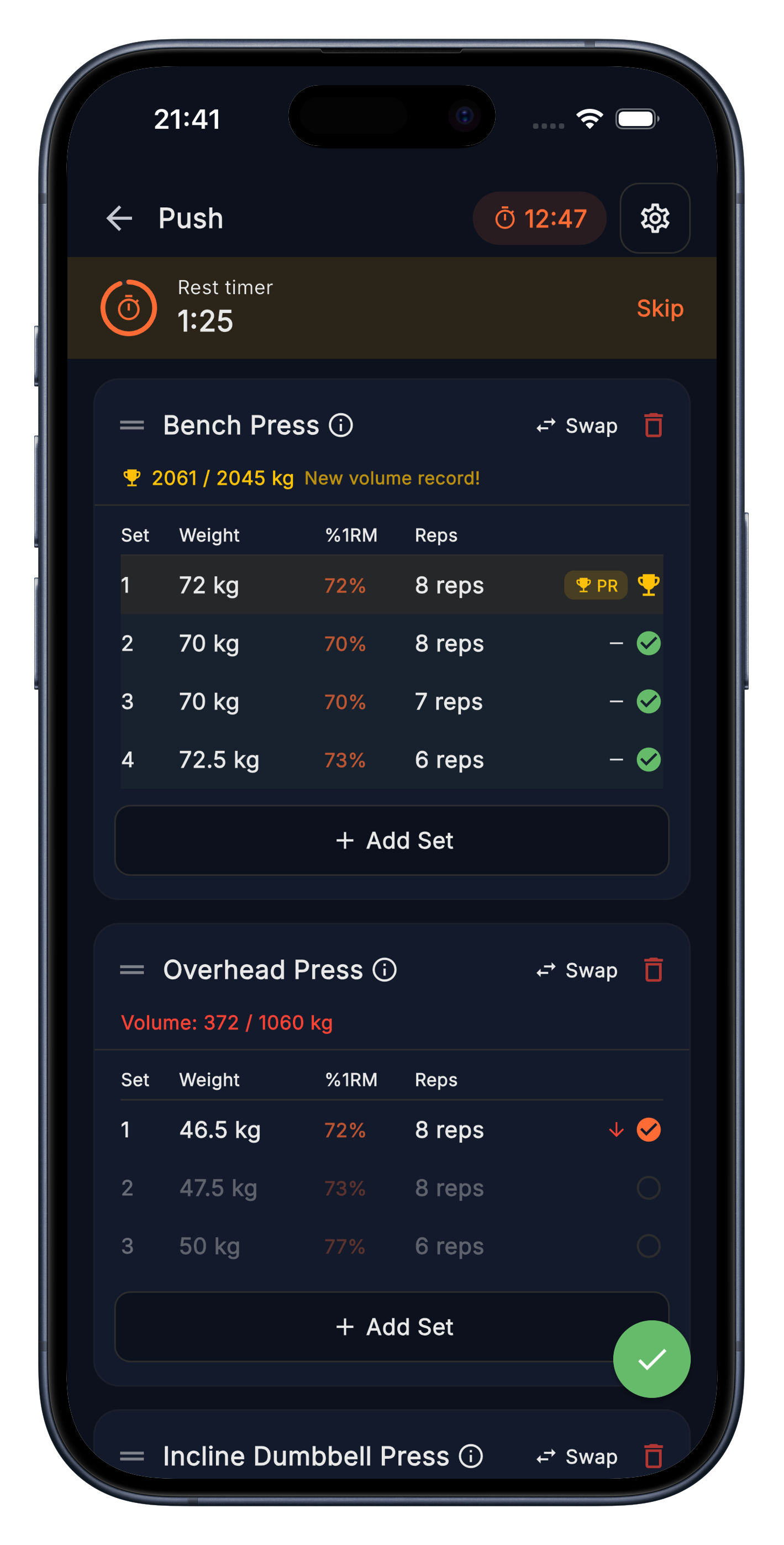
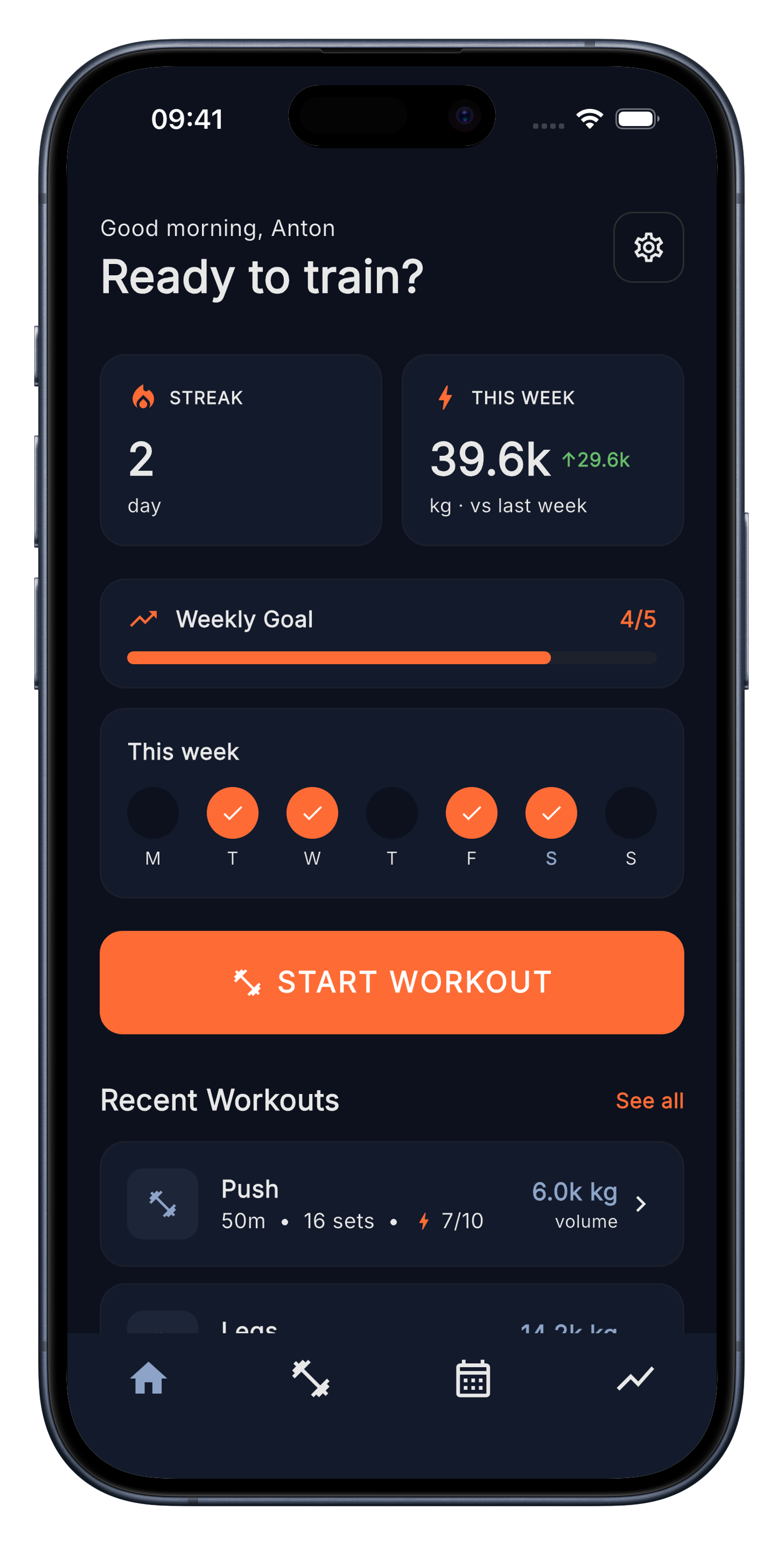
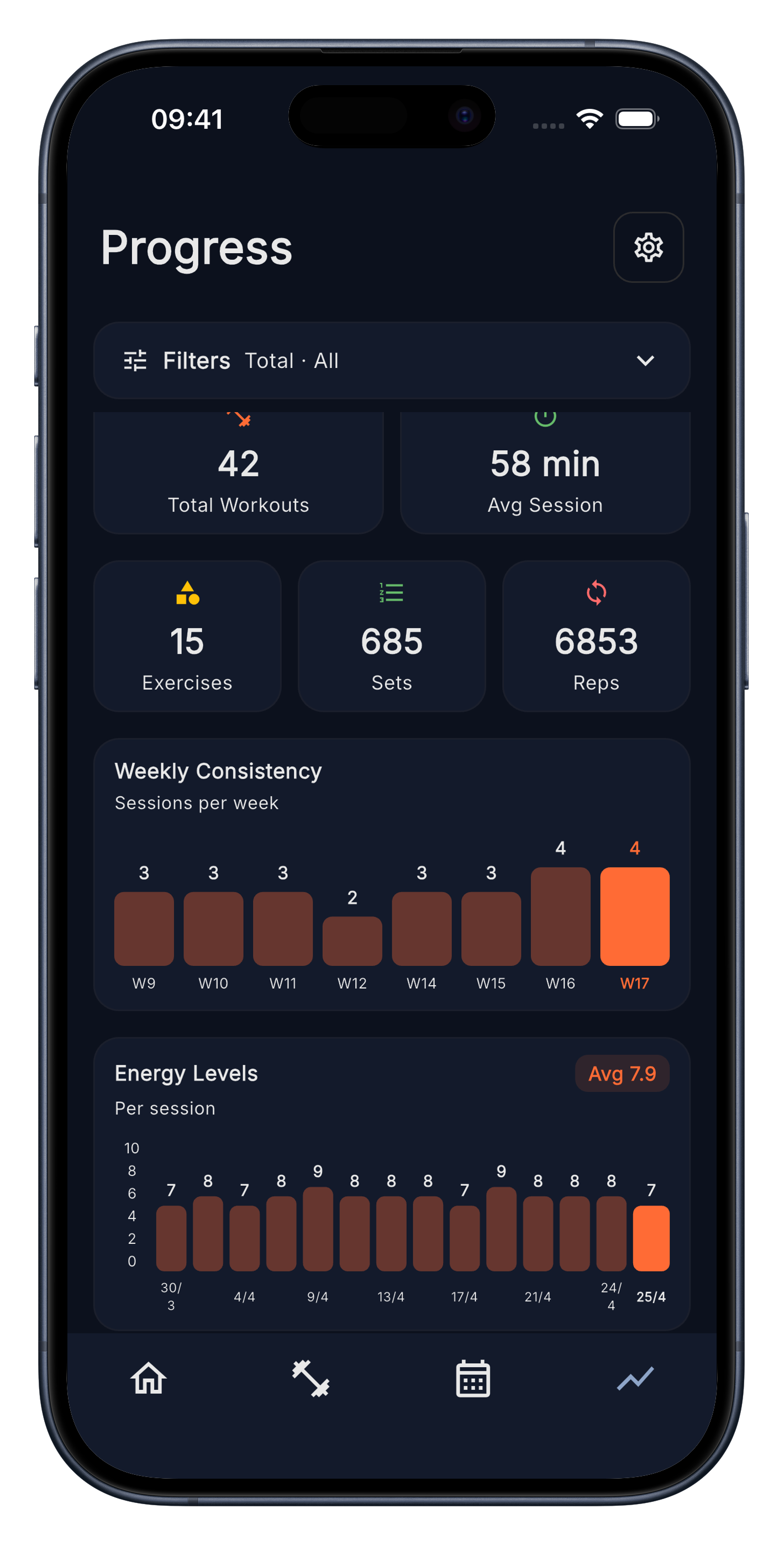
Tools that do the job, none that don't. Every screen earns its place by what it adds to your training.
Stark counts the days you hit your training target. Miss one and the streak goes to zero. That's the deal.
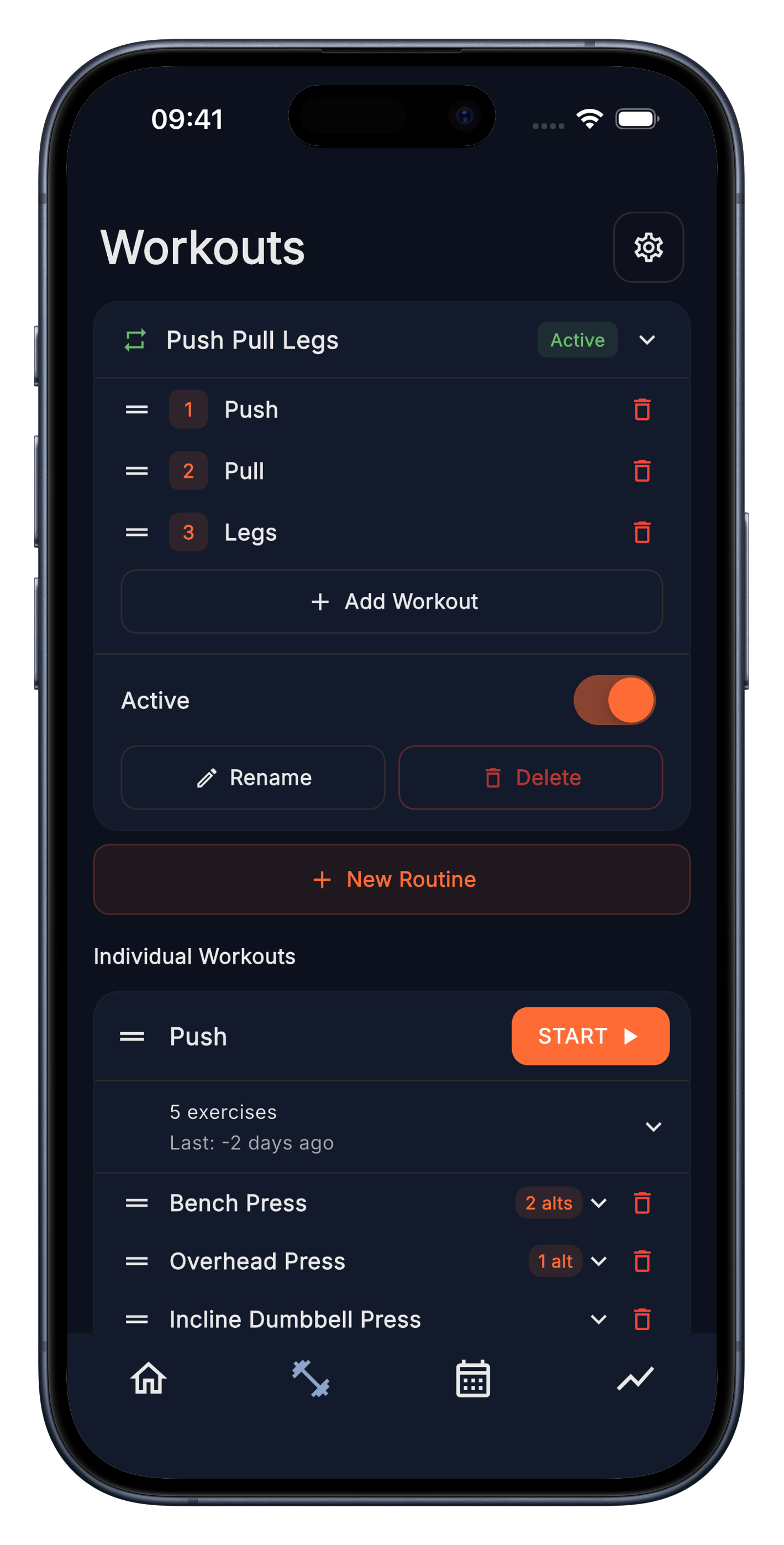
Push, Pull, Legs. 5×5. Upper/Lower. Whatever you run. Build a template once, run it on autopilot. Reorder, swap, rename, set as active.
Prefer to freestyle? Skip the templates entirely, pick any individual workout on the spot. Or start a blank session and add whatever exercises you feel like.
Weights and reps autofill from your last session. Tap to confirm or adjust. Done. The rest timer starts itself. The next set already knows what to beat.
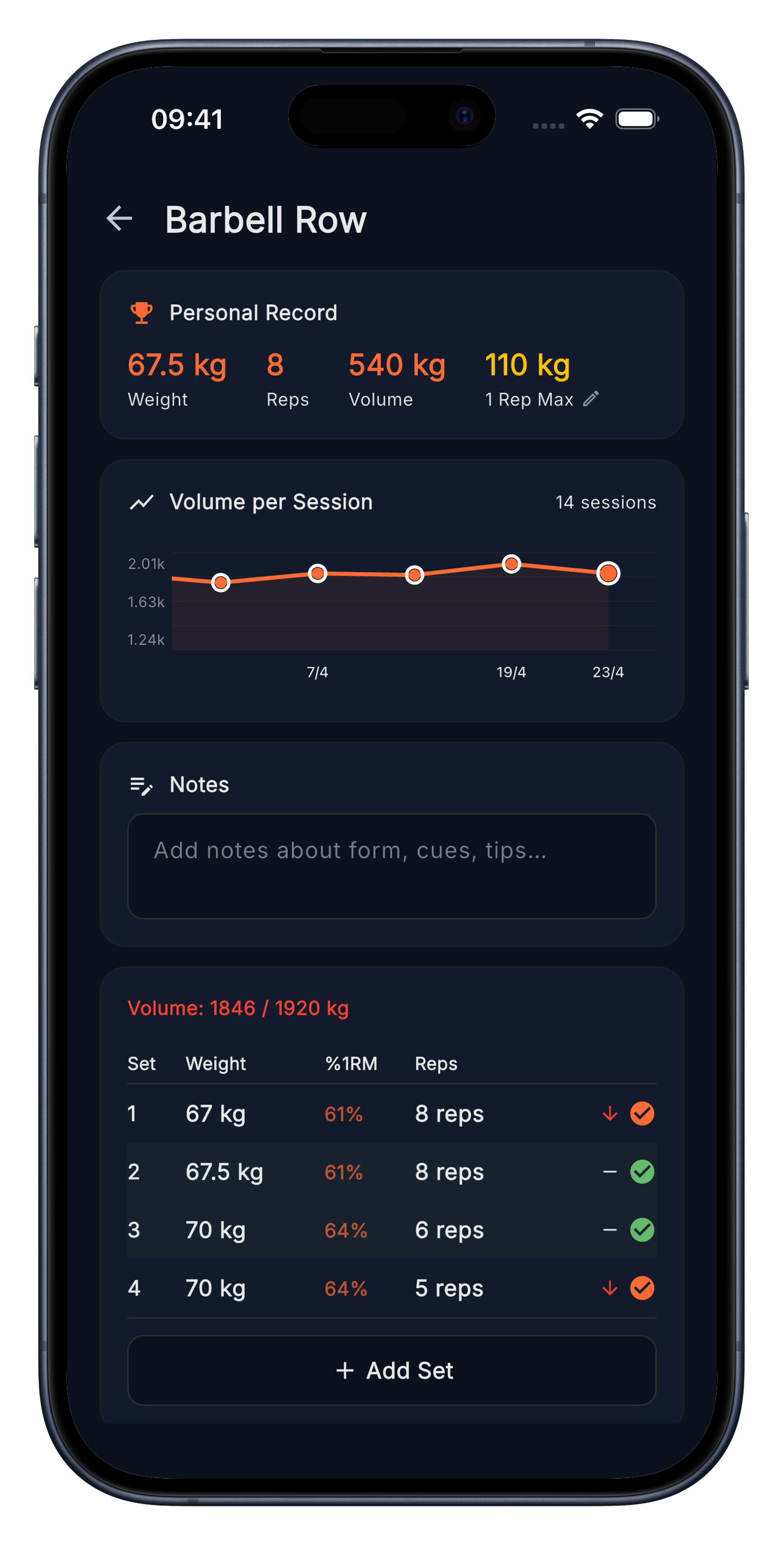
Stark watches the numbers and tells you when you've out-lifted yourself. Weight, reps, volume. All charted as you go.
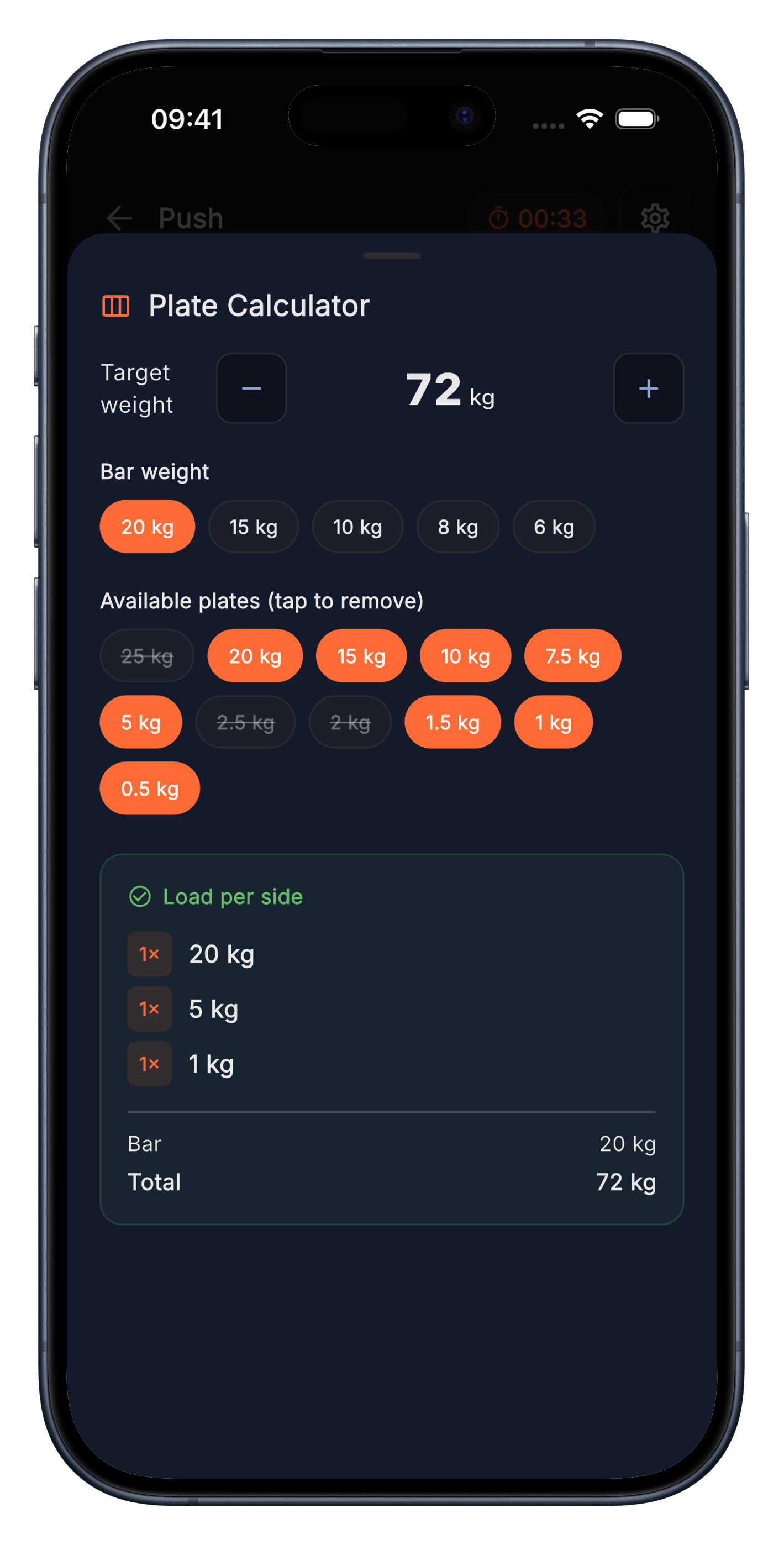
Drop in the target weight. Stark shows the plates to load. All 10kg plates occupied? Exclude them and Stark works out the alternatives.
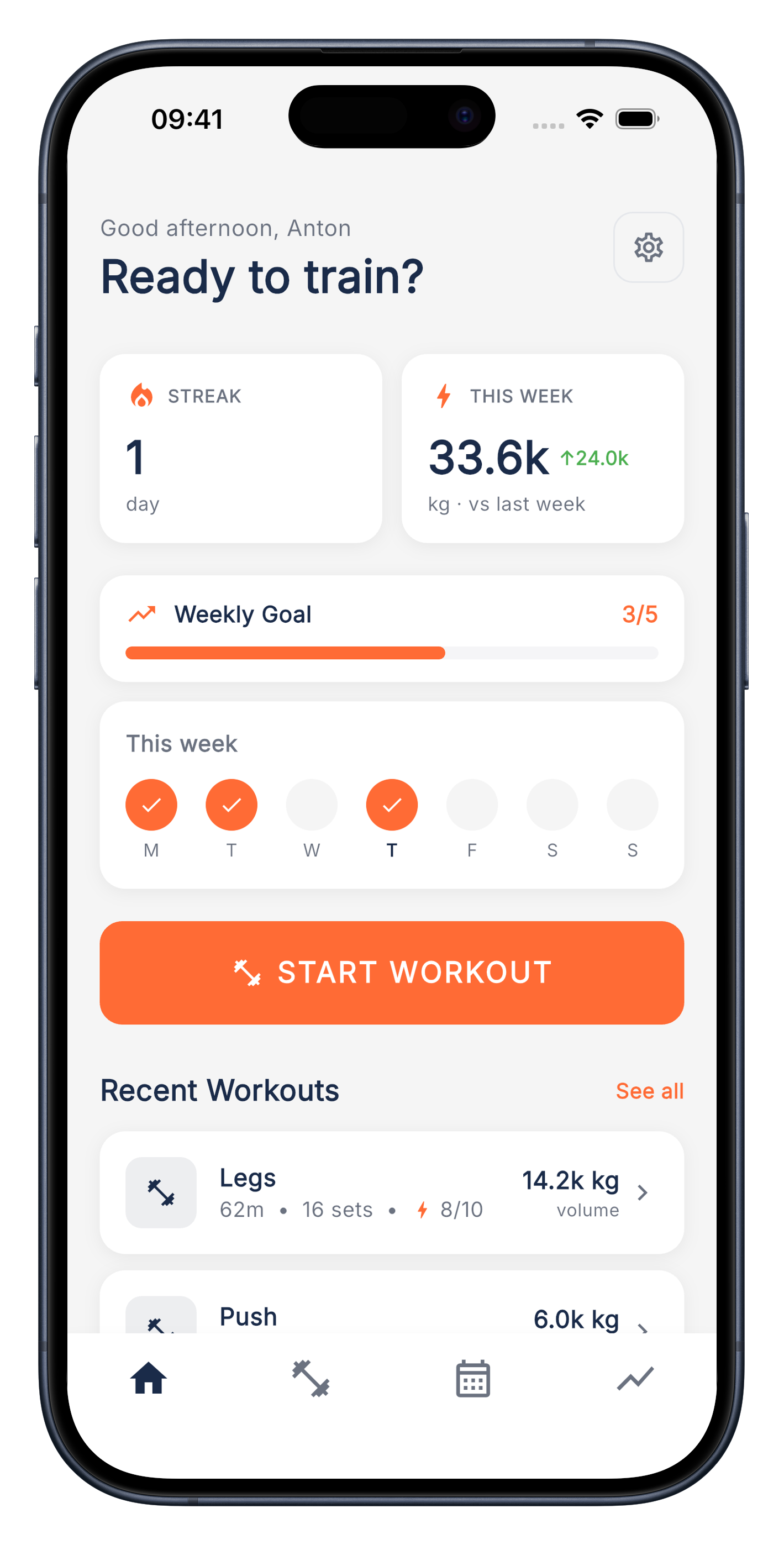
Prefer a bright, clean look over the dark default? Switch it on and the whole app adapts instantly.
Download from the App Store. No account, no email, no setup. Open it and you're already in.
Sketch a routine, or pick from one of your templates. Adjust as you train. Templates evolve with your program.
Hit the gym. Tap through your sets. Stark logs everything quietly while you focus on the bar.
No. Stark is fully local. No sign-up, no email, no password. Open the app and start logging. Your data stays on your phone.
Yes, completely free. No ads, no subscriptions, no hidden costs. We also don't collect any of your data, everything stays on your device.
On your phone, locally. Stark doesn't sync to any cloud.
Not yet. Stark is iOS-only while we focus on getting the in-gym phone experience right. Android is on the table once iOS feels finished.
Not yet. We're focused on the phone experience first. A companion watch app is something we'd consider once the core app is solid.
Stark is available now on the App Store. Search for "Stark Workout Tracker" or tap the download button on this page.
Yes. In the Settings menu you can export everything in both JSON and CSV.
Feedback, bug reports, or a thought on what to build next. Direct line below.